


The Classiq executor supports execution on Amazon Braket’s cloud simulators and hardware.Documentation Index
Fetch the complete documentation index at: https://prod-mint.classiq.io/llms.txt
Use this file to discover all available pages before exploring further.
Usage
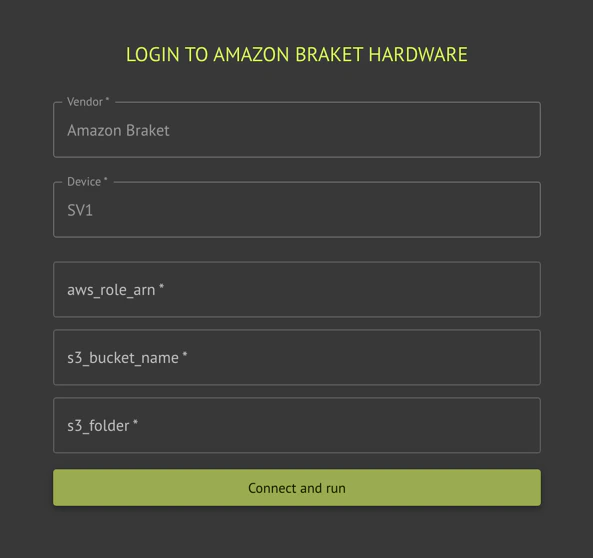
Execution on Amazon Braket requires an AWS account, and a role that Classiq can assume for execution.- SDK
- IDE
Initial Account Setup
Before first use, the platform needs your permission to connect to your AWS account. This is done by creating a cross-account role. Classiq provides with the attached CloudFormationAssumeRole.cf.yaml file. It only has the permissions needed for Braket.
To create the cross-account role that only Classiq can use, deploy the CloudFormation file to your account:
- Download the AssumeRole.cf.yaml file.
- Install AWS CLI.
- Contact Classiq support to obtain these parameters:
CORRECT_TRUSTED_ACCOUNTCORRECT_EXTERNAL_ID_VALUE
- Execute this command:
Required Credentials
When executing via the platform using AWS Cloud, there are several required credentials:aws_access_key_id- Create a user with Braket full access
- Create AWS secret key for this user
- Fill the access key id as you got in the earlier steps
aws_secret_access_key- Fill the Secret access key from the steps above
s3_bucket_name- Create a new bucket. Its name must start with
amazon-braket-. - Use the bucket name as the
s3_bucket_name. This is the bucket that saves the execution results.
- Create a new bucket. Its name must start with
s3_folder- Enter the path to the folder in the
S3 bucket. This is the path in the bucket where the execution results are saved.
- Enter the path to the folder in the
Device emulation (emulate)
Setemulate=True on AwsBackendPreferences to use Classiq’s device-aware Braket circuit preparation for the selected Amazon Braket device: the circuit is translated using constraints from that device before the job is submitted. This path differs from the default Qiskit–Braket conversion and can be required for some programs targeting specific hardware.
- Default
emulate=False: standard adapter from Qiskit to Braket. emulate=True: use Classiq’s emulator-style translation for the chosen device. If compilation fails, try withoutemulateor another backend; see the error message from the executor.
Supported Backends
The Classiq executor supports any available gate-based Amazon Braket simulator and quantum hardware. Included hardware:- “Forte 1”
- “Emerald”
- “Ankaa-3”
- “Garnet”
- “SV1”
- “TN1”
- “dm1”